
What are artists?
An artist within the Cadenzabox system is a creator or performer of music — whether a composer, band, or solo act — represented through a dedicated artist page. Each artist page serves as a digital showcase, featuring a biographical overview, images, and direct links to their related tracks. It functions as a curated space for audiences to discover, explore, and engage with the artist’s musical identity.
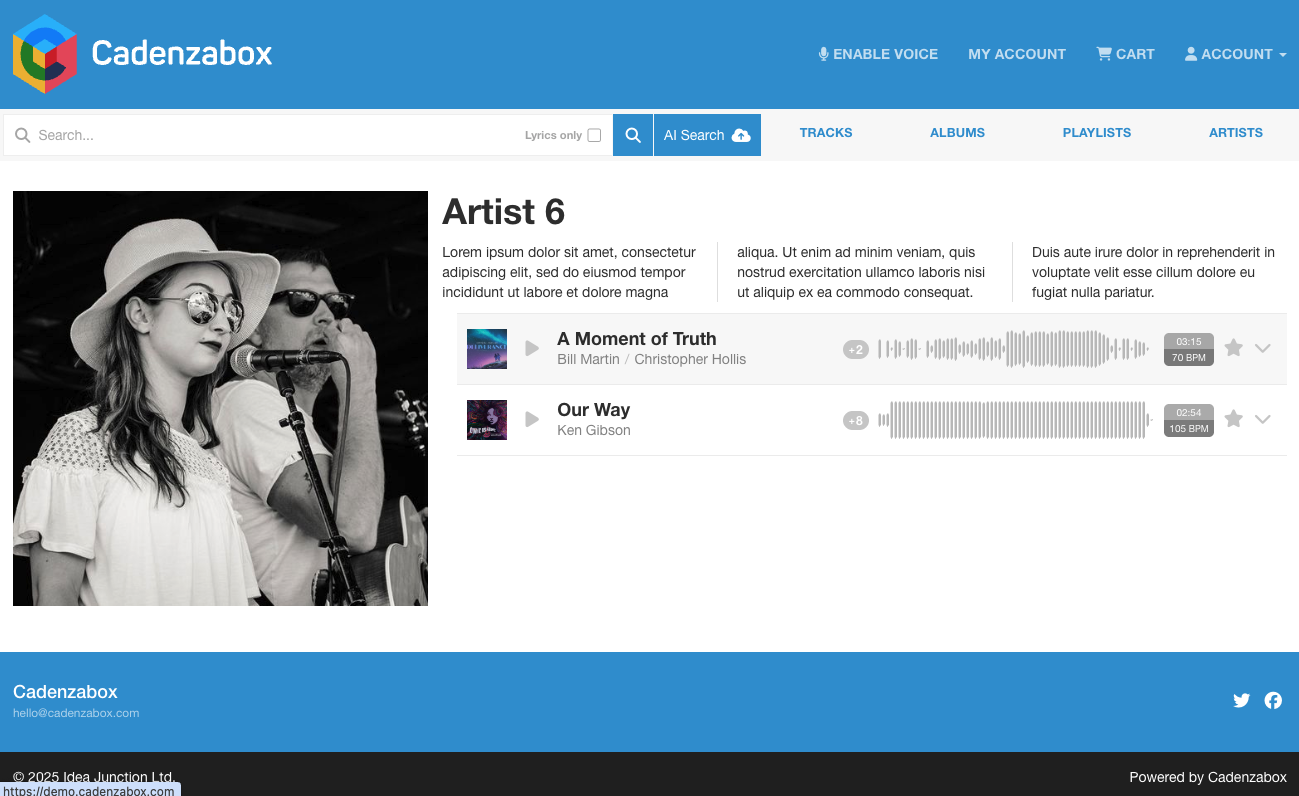
Create a new artist
- To add an Artist within the admin, go to Content > Artists
- Click the + icon on the right of the page to open the new artist panel
- Fill in the fields in the panel: Name, Featured (show the artist on your artists page), Biography, Tracks, Composers, Albums/Playlists, Featured image and Hero image
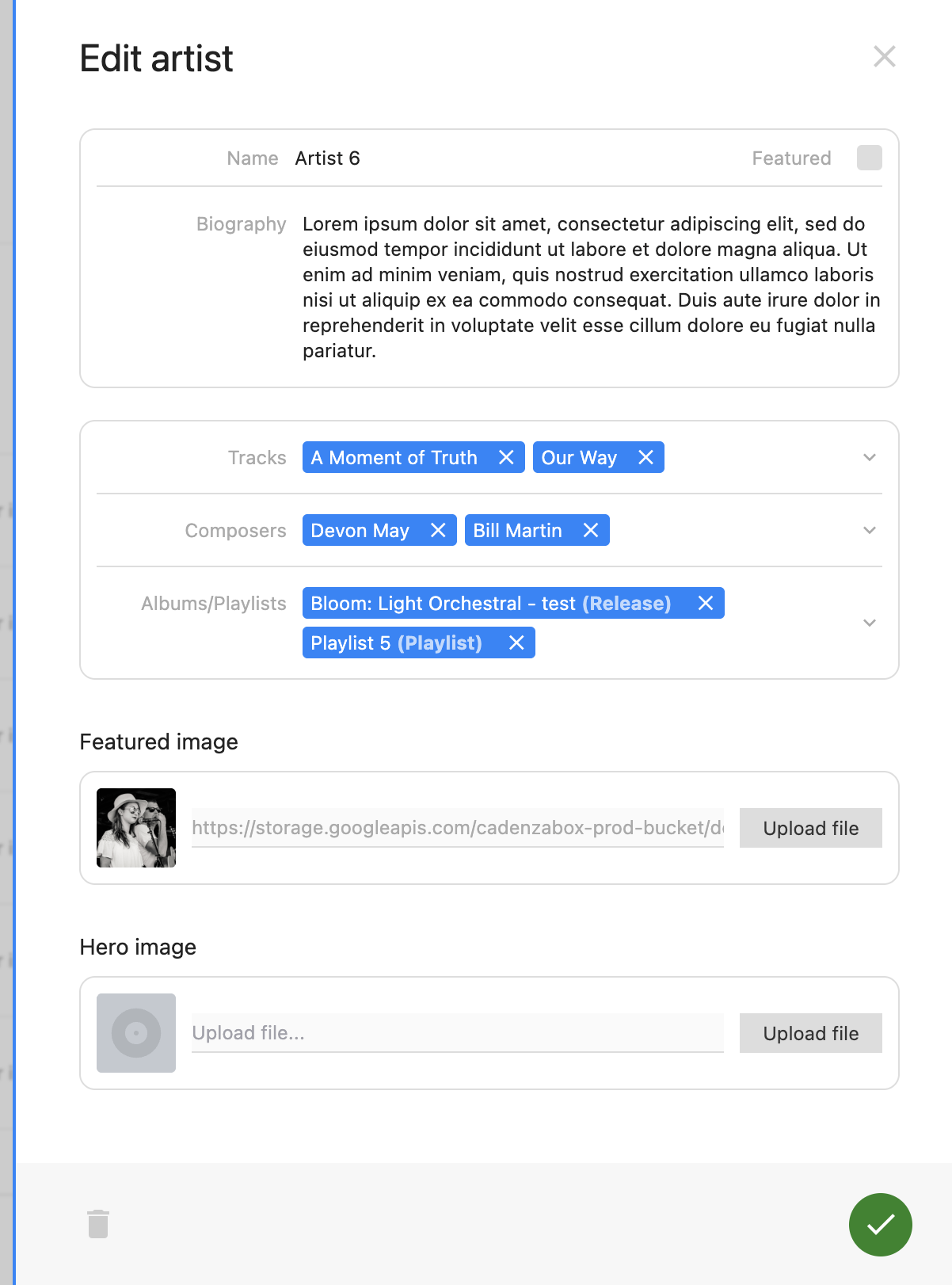
- For featured tracks, start typing the name of the track and it’ll appear in the dropdown, select the track and it will be added to the list of tracks
- The same applies to the featured Albums/Playlists (either item can be added to this section)
- The Featured image is the image used on the artists page. The Hero image is used by layouts with a large banner on the artist page; if your site doesn’t show it yet, get in touch
- Click save, the artist has now been created