
Parent and child tags
When you have a large tag taxonomy, you may notice, or want, top level tags with lower level tags beneath them. This is a parent/child relationship that can be created between tags in the same category.
Doing this can help users refine their search.
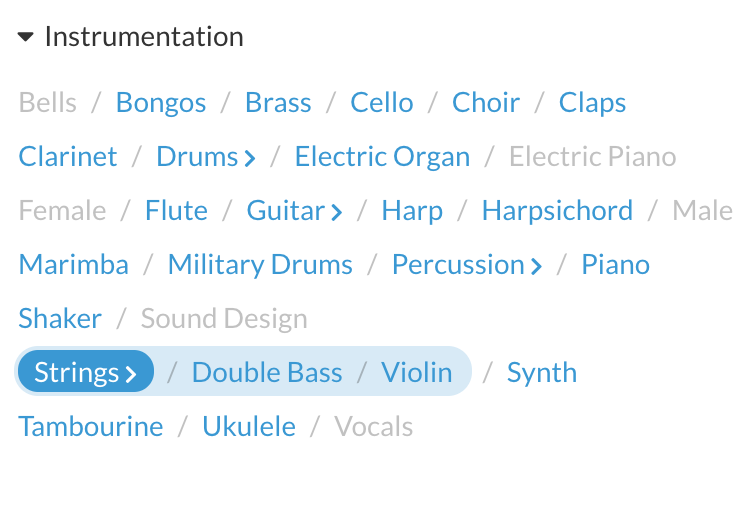
How to nest tags
- Log into the admin
- Navigate to Catalog > Tags
- Click the pencil icon on the tag you’d like to nest
- In the Parent field, start typing the name of the tag you want to nest this tag into
- In the autocomplete, select the tag you want
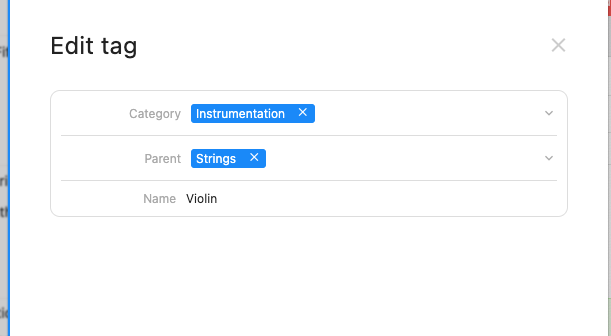
- Save the tag
- Refresh the page
The tag(s) will now be nested. If you would like to change the styling of the nested tags (also known as ‘Child tags’) get in touch and we can discuss what can be done.