
Why grant us access to Stripe?
To set up the technical aspects of your Cadenzabox Stripe integration, and provide support for any issues that may occur, it is a much simpler process if we can do this directly ourselves from within your Stripe account.
Stripe has a dedicated Developer role for this. It grants the following access:
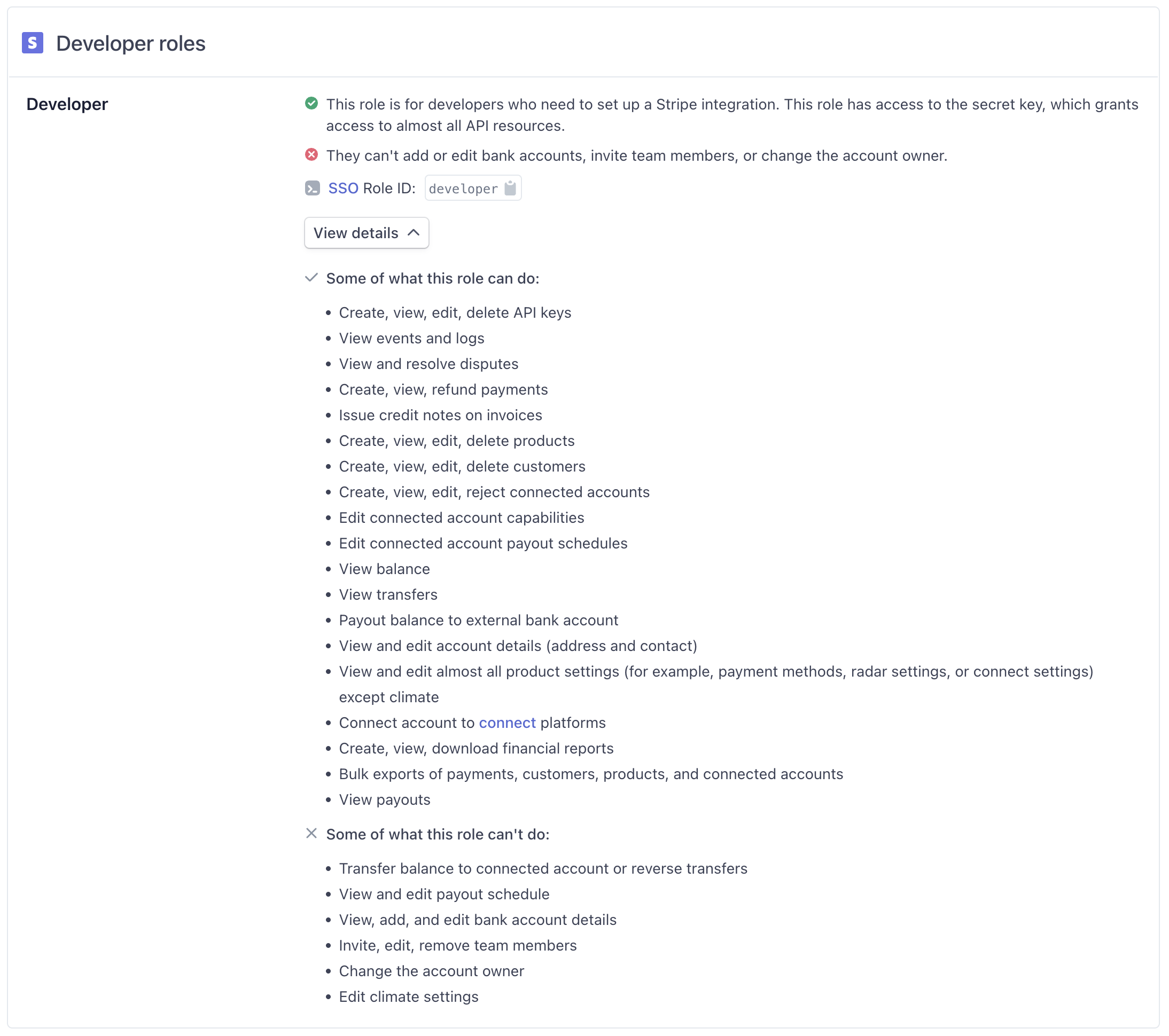
Info
Source: https://stripe.com/docs/dashboard/teams/roles @ 2022-10-03
Info
General introduction to Stripe users and roles: https://support.stripe.com/questions/invite-team-members-or-developers-to-access-your-stripe-account
How to grant access
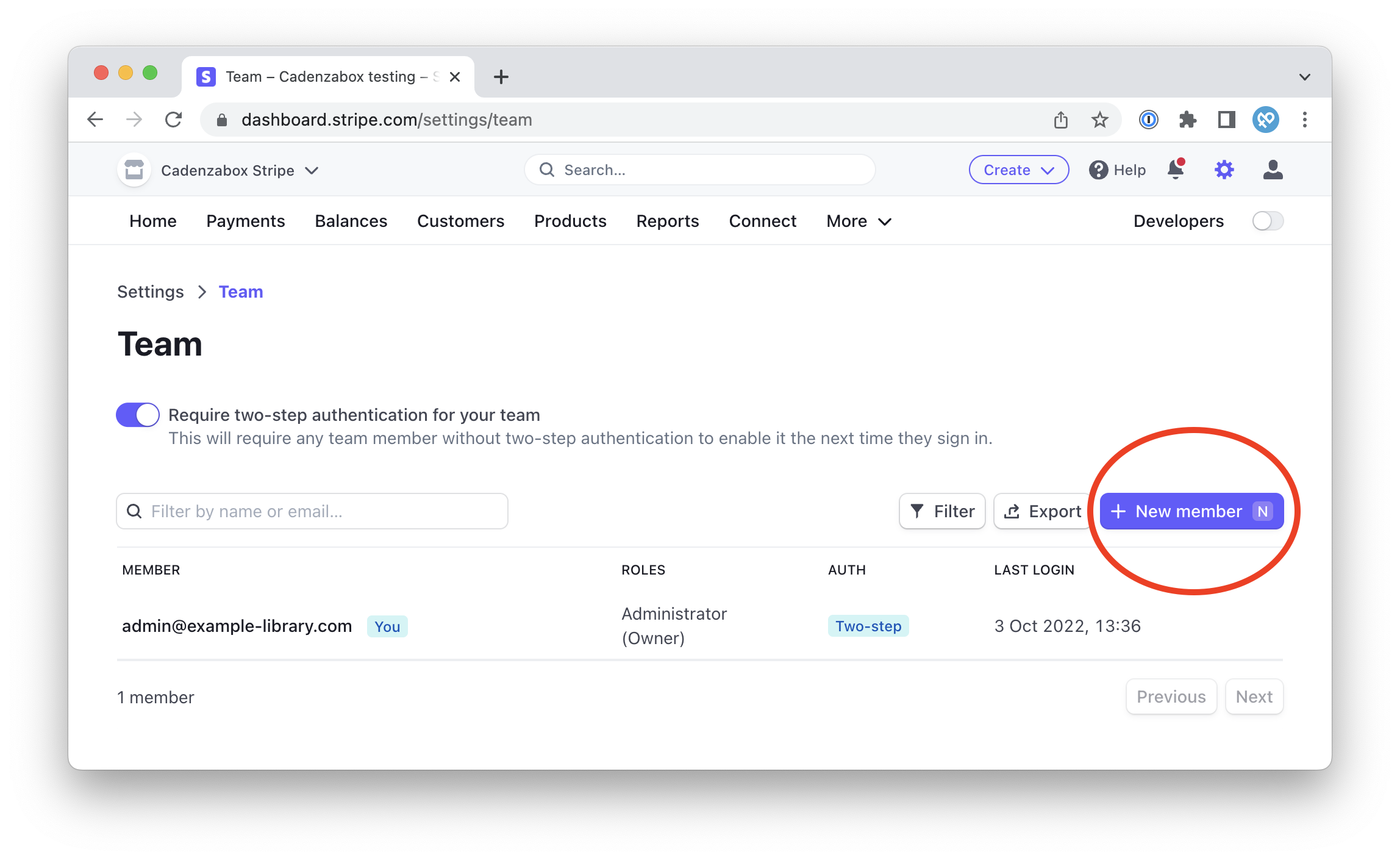
Once logged in to your Stripe account, navigate to: https://dashboard.stripe.com/settings/team
From this page you need to add a new member to your account:
In the new member modal, enter [email protected] as the email and select the Developer role.
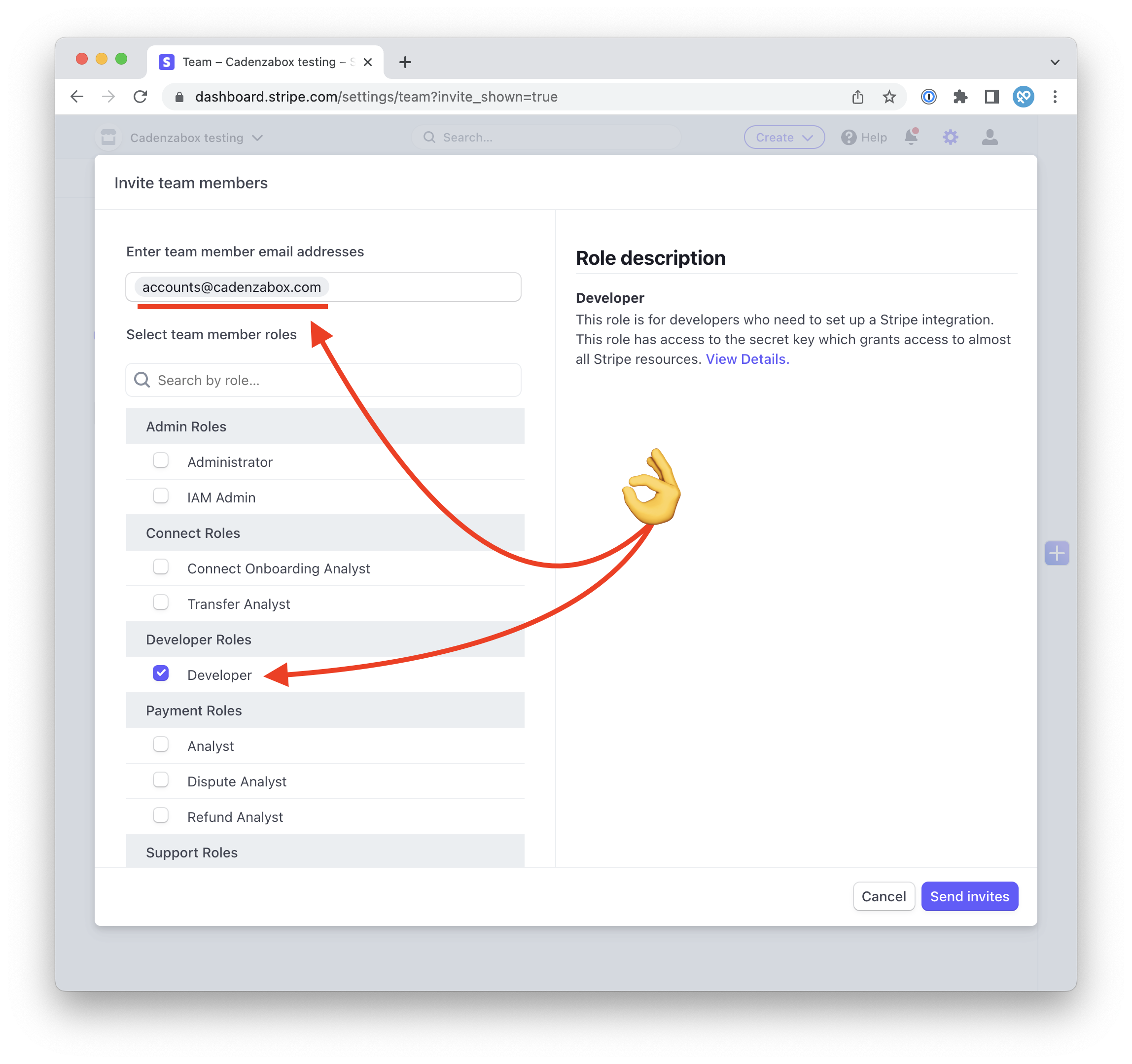
Finally, choose Send invites, and our team will take care of your Stripe integration from there. Your Stripe keys are then entered under Settings > Licensing in the admin.