
After a user signs up
Once a user has filled in the signup form and clicked the link in their verification email, [[Notifications|an email is sent to the address set for the Pending users notification]]. The email gives you details of the pending user and a link to the admin’s pending users page.
How to approve user
- Log into the admin
- Navigate to Clients > Pending users
- Users highlighted Unverified have not clicked the verification email they received after signup. We recommend not approving these users until they have done so, unless you’re sure of the user’s identity
- Users highlighted Pending have verified their email and can be approved at the admin’s discretion
- Click the tick icon to give the pending user default access. The user can now log in to the site
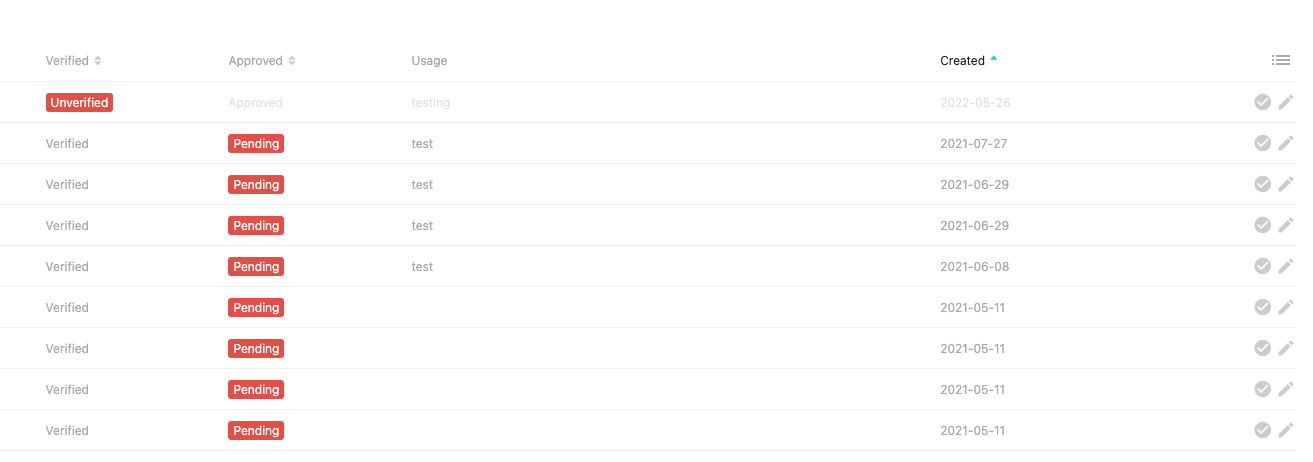
- If you want to give custom access to particular users, click the pencil edit icon instead
- Within the individual user you can give custom access types under Permissions and assign a Role, e.g. Admin. To give this user access to the site, make sure the two checkboxes in the top right of the panel (Email verified and Approved) are ticked, then save the user