
What are preapproved signups?
“Pre-approved signups” is an allowlist of domains that bypasses the pending user step in the user signup process.
For example, you may want a user who has a netflix.com email address to be approved immediately. Adding that domain to the preapprove signup list means that these users won’t have to wait for their account to be approved.
Please note however that they will still need to click the link in the verification email post signup (admins can override this per user if needed from the user admin panel).
Custom access permissions
“Pre-approved signups” may have different default permissions than regular user signups.
Say you have a license permission as the default for all users; you could instead choose that users allowlisted by the preapproved signup list have download access straight away.
For example, you would like to give anyone at Netflix the download option immediately once they’ve verified their email address (by clicking on the verification link emailed to them).
Preapprove all signups from a domain
- Log into admin
- Navigate to Settings > Access
- Under Pre-approved signups, add the domain names you want in the Domains field, one per line (not comma separated)
- Choose the default Permissions these users should receive
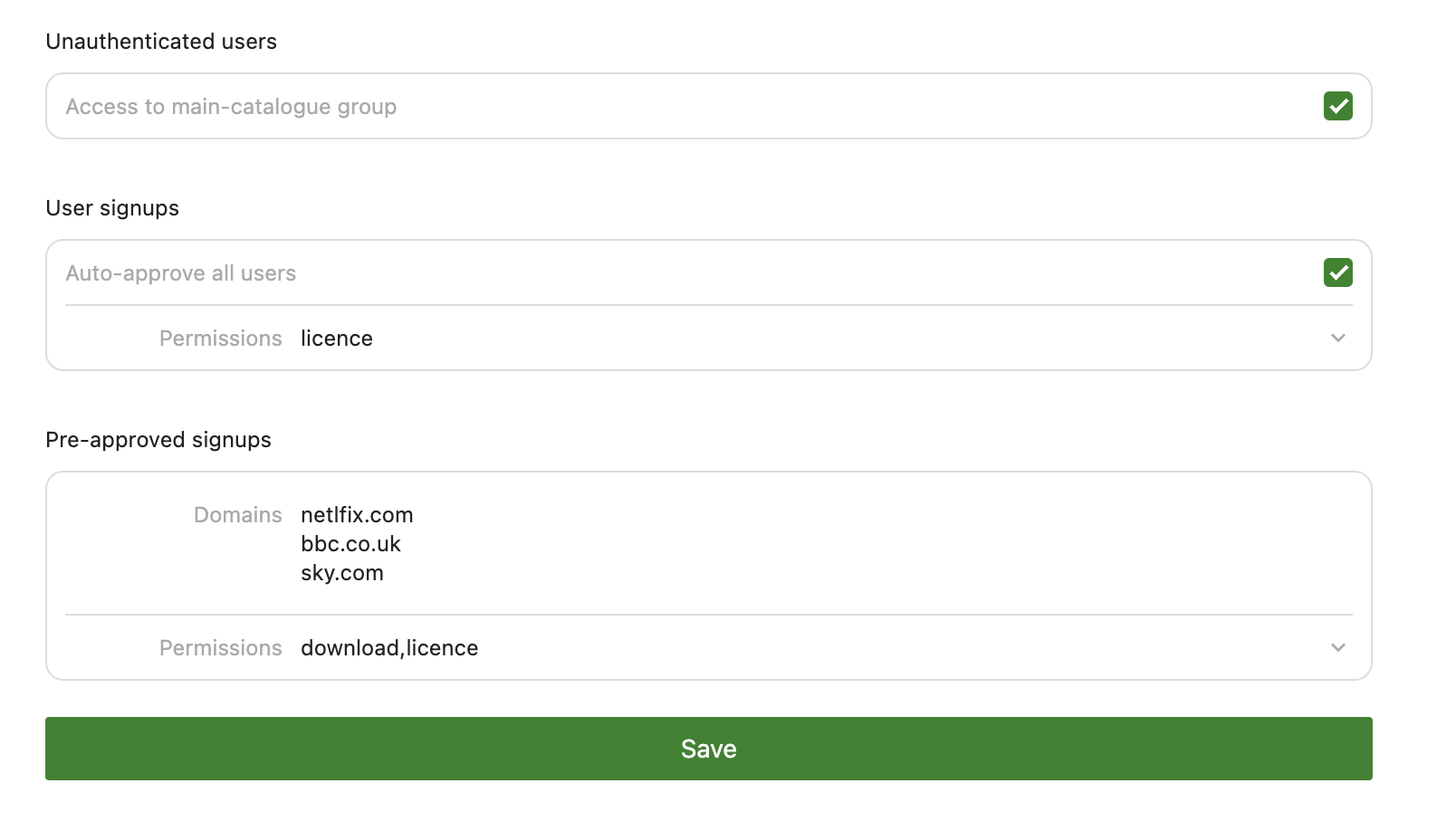
- Press save
The same page also holds Auto-approve all users and the default Permissions for normal signups, and the Access to main-catalogue group option for unauthenticated visitors; see Fine grained access control.