
When to create a user yourself
Most users sign up on your site and are approved by an admin. Create a user manually when you want to hand someone ready made access, for example a client who prefers not to sign up, or a colleague who needs the admin.
How to create a user
- Log into the admin
- Navigate to Clients > Users
- Click the + icon on the right of the page to open the new user panel
- Add the required fields: Email, First name, Last name and Password. Click Generate to create a strong password that meets our minimum criteria, or type your own
- If you wish to give the user admin access, tick the Admin checkbox (leave it off for normal users)
- Leave Main Catalogue as the group, unless you wish to give Fine grained access control
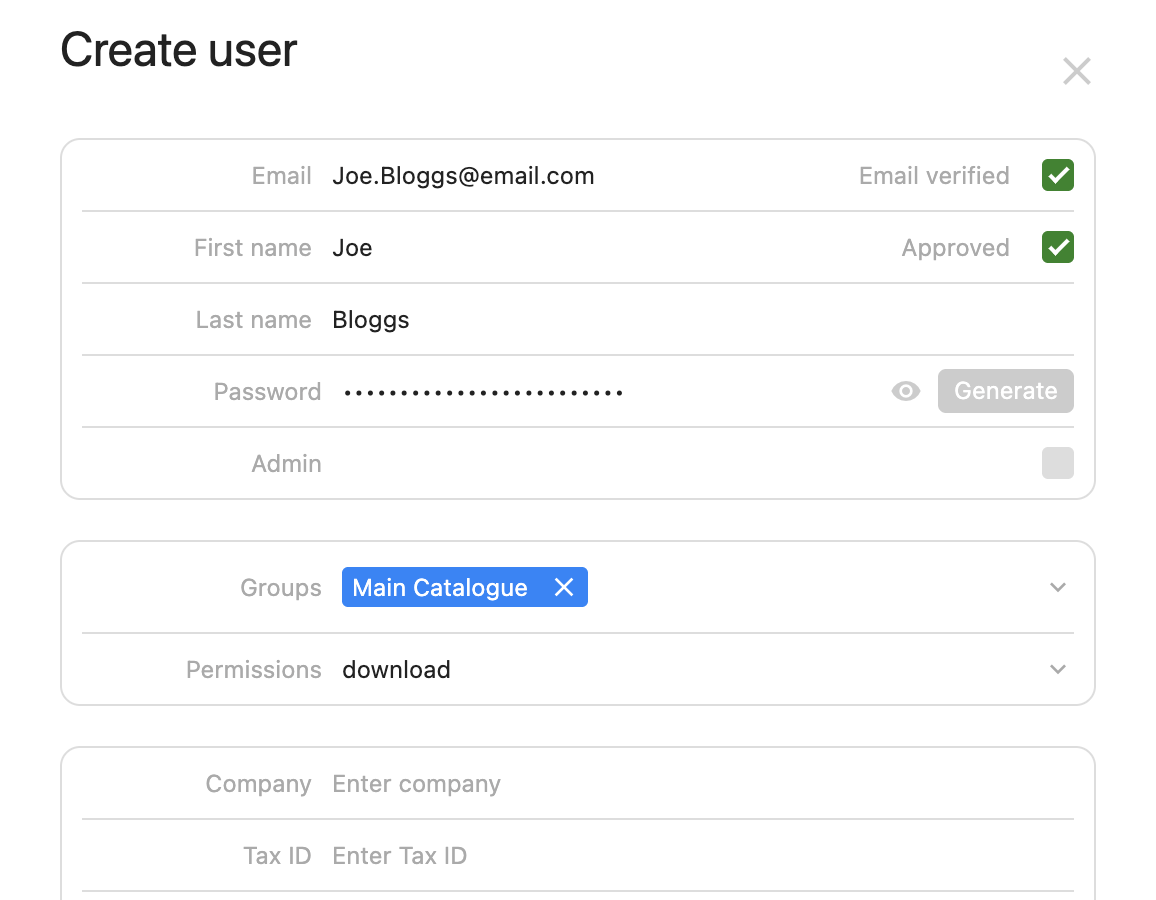
- Make sure Email verified and Approved are ticked, otherwise the user will not be able to log in
- Add any other information you’d like (not required)
- Before saving, make a note of the password if you are sending it on to the user. Passwords are hashed on save and cannot be viewed afterwards, only reset
- Save the user. They are now created
No email is sent to a manually created user, so send them their login details yourself.