First time or bulk ingestion
We recommend clients use our CSV ingestion tool for bulk ingestion of catalog.
Add a single track
Tracks can also be added individually via the admin panel…
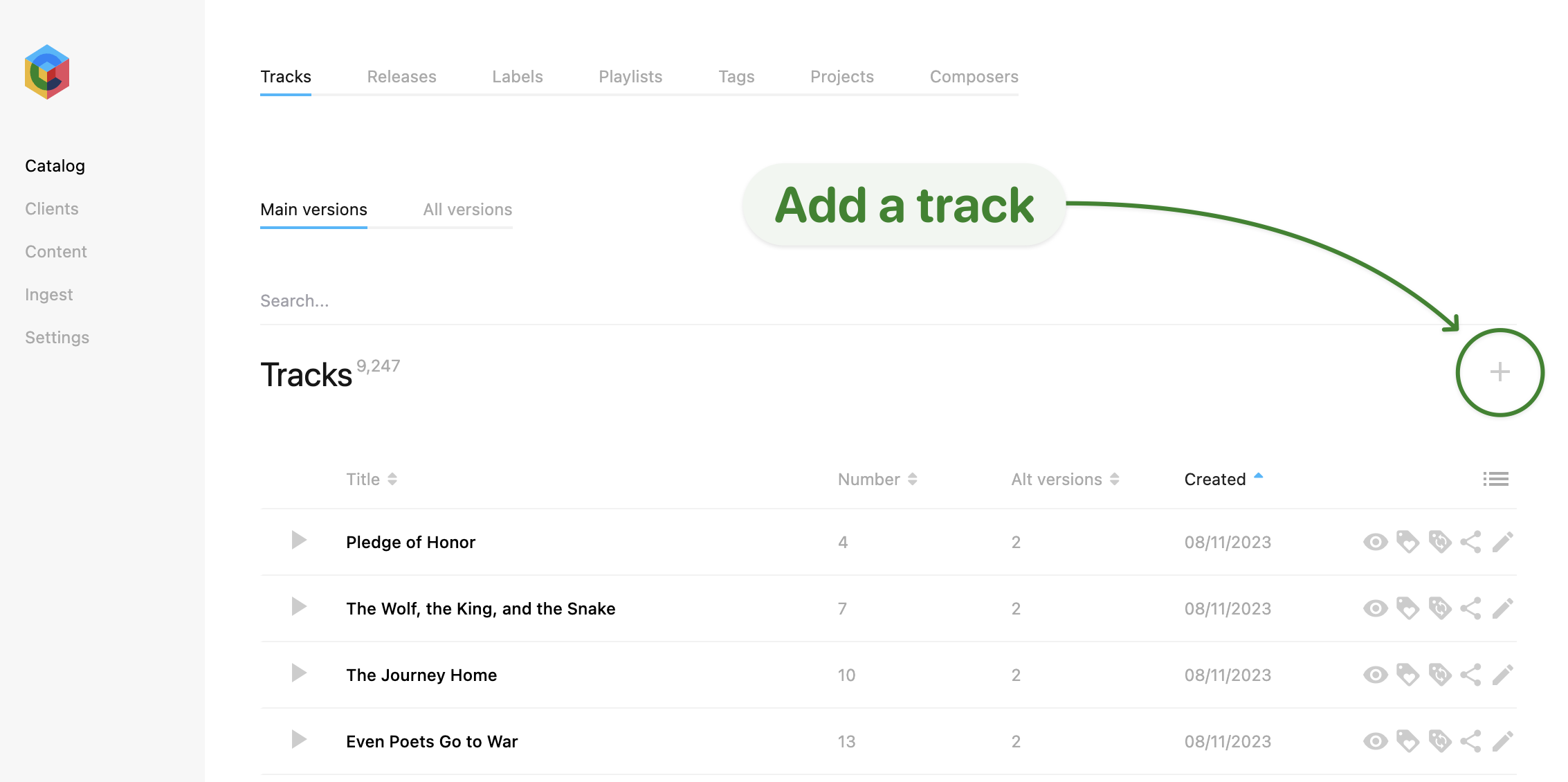
- Log into the admin
- Navigate to Catalog > Tracks
- Click on the plus (+) icon on the right hand side of the page to create a new track
- Fill in the required fields for the track
- Save the track
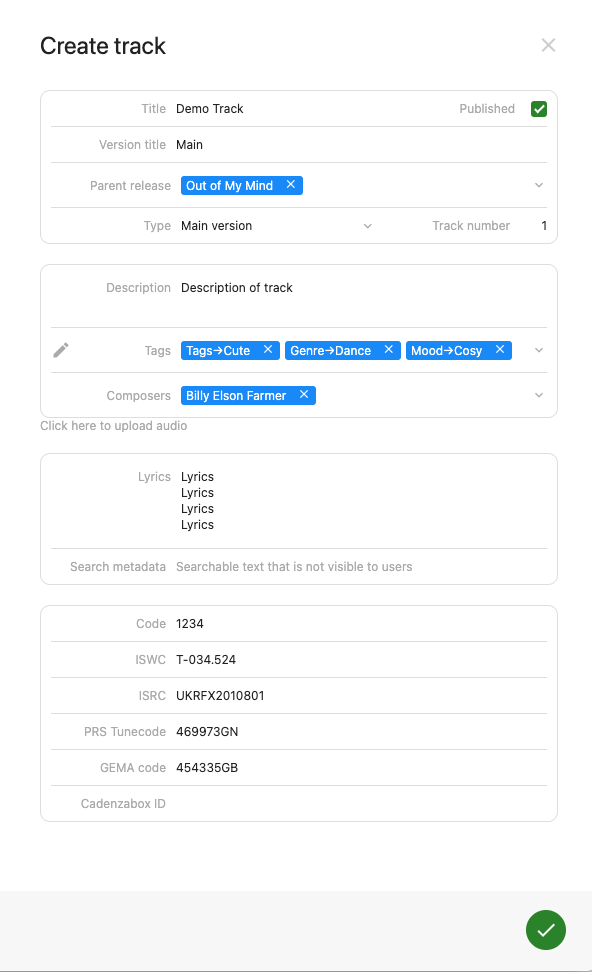
Track metadata list
| Field | Description | Required |
|---|---|---|
| Title | Name of the track | Y |
| Version title | Name of the version type of the track e.g. Main, Instrumental, 30s | Y |
| Published | Untick to keep the track hidden from the site while you work on it | N |
| Parent release | Name of the album that the track is attached to. A release may need to be created for this track before creating it | Y |
| Track number | Position of the track on the release | Y |
| Type | Main version, Alt version or Stem | Y |
| Parent track and Version number | Shown for alt versions and stems: the main track this version belongs to, and its version number | Y (versions) |
| Description | Explanation of the track | N |
| Teaser | A short description | N |
| Tags | Tag filters attached to the track | N |
| Composers | Composers must be created first under Catalog > Composers, then they can be added per track via autocomplete suggestions | N |
| Click here to upload audio | Upload audio file to track. A Filename field sits alongside it | N |
| Key | Musical key | N |
| BPM | Beats per minute | N |
| Lyrics | Lyrics (if any) on the track, line breaks are respected | N |
| Search metadata | Extra invisible search terms | N |
| Code | Custom code option | N |
| ISWC | ISWC number attached to track | N |
| ISRC | ISRC number attached to track | N |
| PRS Tunecode | Tunecode number attached to track | N |
| GEMA code | GEMA number attached to track | N |
| SESAC, BMI and ASCAP codes | Society work identifiers | N |
| EAN and UPC codes | Product codes | N |
| Catalog number | Your own catalogue number | N |
| Cadenzabox ID | ID generated by the system to identify the track | N/A |
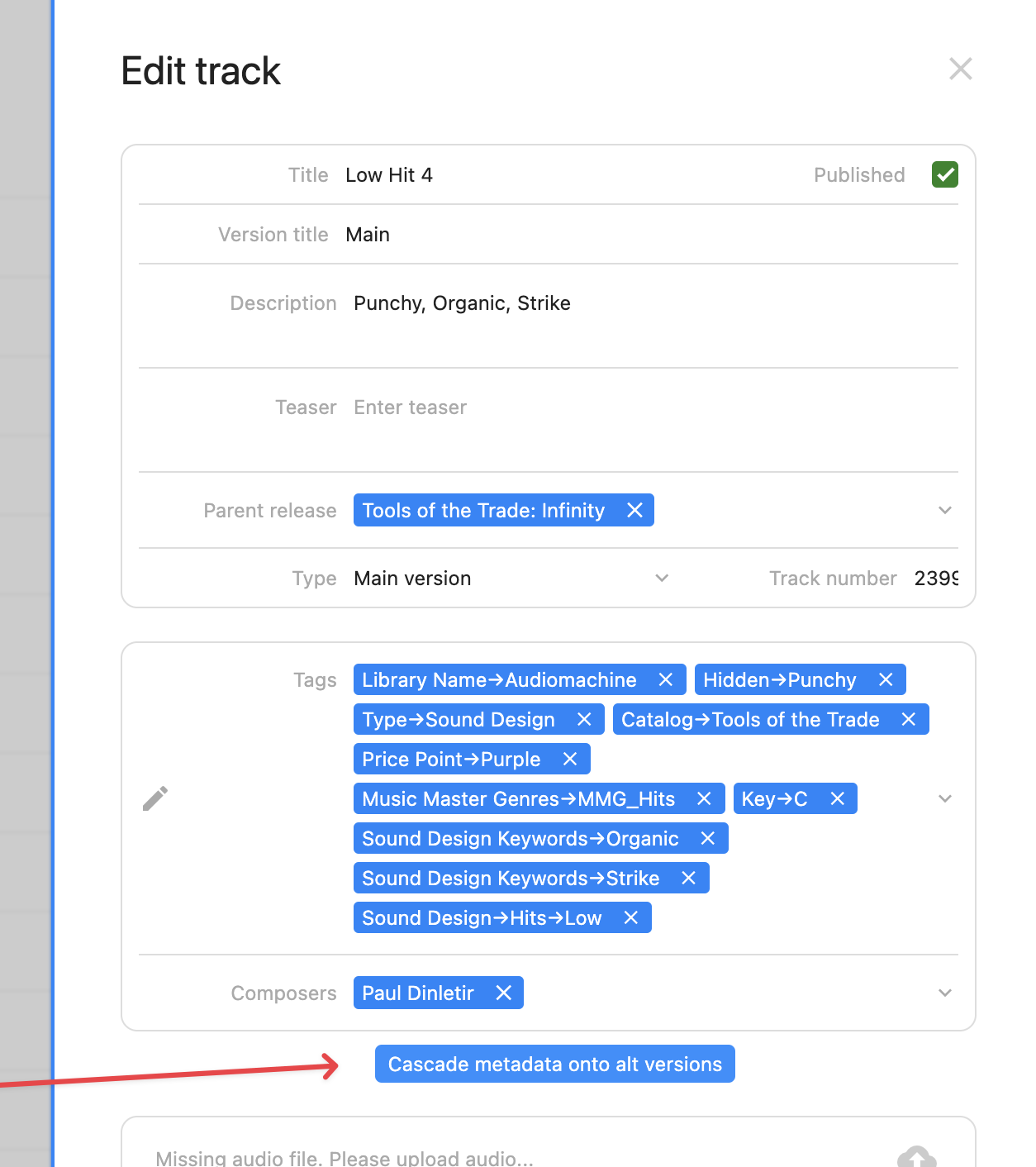
Cascade metadata onto alt versions
The track edit modal allows certain metadata fields to be copied onto all nested alt versions.
- Click the Cascade metadata onto alt versions button to enter the batch edit modal
- See the Batch edit tracks help page for more information